
KheloVIP Casino – Sign Up, Login & Start Winning
If you want to start winning faster, getting your KheloVIP account set up the right way is the first big step. Once you sign up and log in, you can jump straight into slots, crash, live casino, and sports from Bangladesh with just a few taps.
The good news is that KheloVIP registration and login are super simple, whether you prefer desktop or mobile, and you only need a few basic details to get going. Let’s dig into how you can set everything up safely and quickly.
KheloVIP Registration Process
We keep our sign-up flow short so you do not get stuck in forms. On the main page, you will always see the “Sign up” button in the header next to “Login”, with Bangladesh as your region and BDT as the main currency.
You just enter a username and password that meet a few simple rules, confirm you are over 18, and accept the terms, then you are ready to explore the lobby.
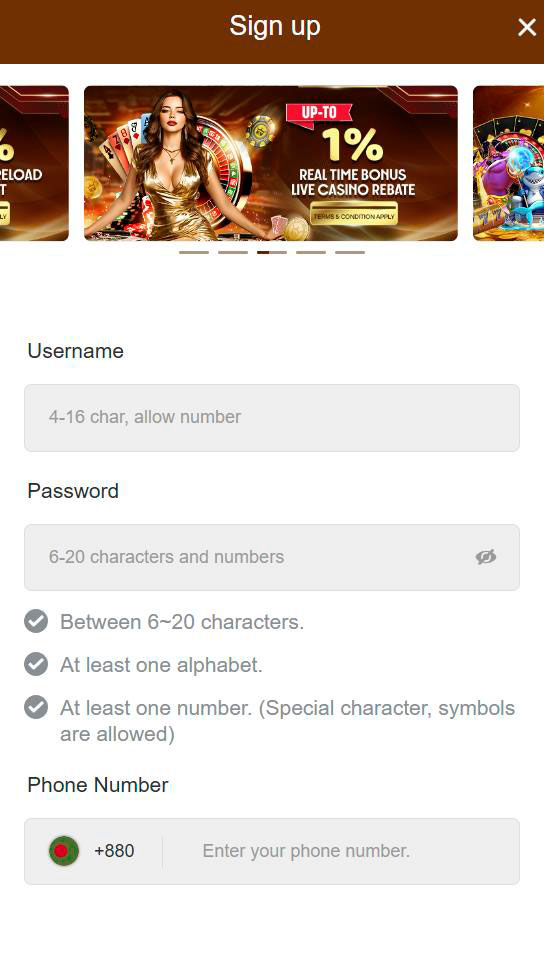
Step-by-Step Sign Up Guide
Here’s how you can register at KheloVIP in a few simple steps. You only need 1–2 minutes if you already know your username and password.
- Click the “Sign up” button at the top of the Khelo VIP homepage or login screen.
- In the KheloVIP registration modal, enter a username between 4 and 16 characters (letters and numbers are allowed).
- Create a password between 6 and 20 characters with at least one letter and one number; symbols are allowed too.
- Double-check your details and hit “Submit” to confirm your new account.
- By registering, you confirm you are over 18 and agree to the Terms & Conditions shown on the form.
Once you see the success confirmation, you can log in immediately and start setting up your KheloVIP profile.
Account Verification
Now, to keep your account and winnings safe, we may ask you to verify some details later. While the sign-up modal itself is very light, the footer links clearly show dedicated pages for Terms & Conditions, Rules and Regulations, and Responsible Gaming, which outline ID verification rules.
In practice, this usually means you will need to confirm your phone number or email and provide ID or banking proof if you hit higher withdrawal levels or trigger a security check.
Typical verification steps:
- Confirm contact details (phone or email) so we can reach you with security alerts and bonus info.
- Provide a valid ID document and sometimes a proof of payment method if support requests it.
- Make sure your name and age match your documents to avoid payout delays.
If you plan to play big or withdraw larger amounts, finish verification early so your cashouts stay smooth.
Registration Requirements
Here’s the thing: we keep requirements simple but strict where it matters. The sign-up modal clearly states, “Registering means you are over 18 years old, have read and agree to the Terms and Conditions.”
You must also choose a unique username (4–16 characters) and a strong password (6–20 characters with letters and numbers) to protect your account.
What you need to register:
- Age 18 or older, with the ability to prove it if requested.
- A unique username using 4–16 characters (letters and numbers allowed).
- A secure password with 6–20 characters, at least one letter and one number.
- Agreement with the KheloVIP Terms & Conditions and other key policies in the footer.
If you can tick those boxes, you are good to go and can complete registration in one shot.
How to Login to KheloVIP
Once your KheloVIP account is created, logging in is even easier. On both desktop and mobile, you will see “Login” right next to “Sign up” at the top of the site, so you are never more than one click away from your games.
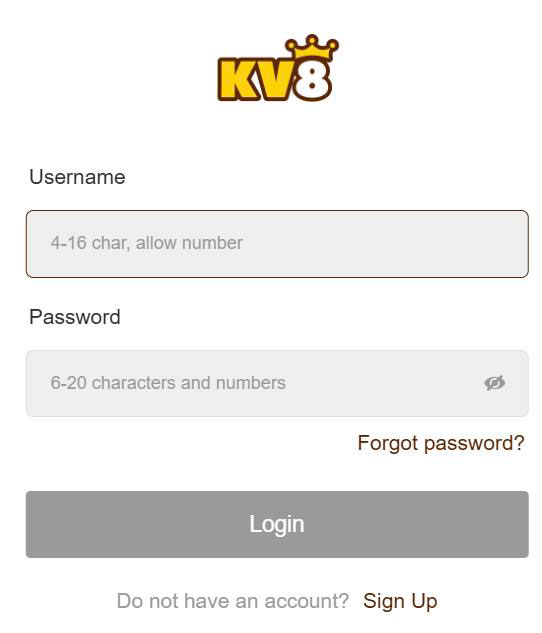
The login modal is clean: KheloVIP login, password, “Forgot password?” link, and a shortcut to sign up if you still do not have an account. That keeps things fast when you just want to jump in and play.
Desktop Login
On a desktop, the steps are straightforward. You can log in from the KheloVIP homepage, the games pages, or pretty much any screen thanks to the fixed header.
How to log in to KheloVIP on a desktop:
- Open the KheloVIP homepage and click “Login” in the top-right corner.
- In the login modal, enter your login (4–16 characters) and your password (6–20 characters) for KheloVIP.
- Click the “Login” button and wait a moment for the secure redirect to your last visited page or the HOT GAMES lobby.
If your details are saved in your browser, you will be playing in just a couple of seconds.
Mobile App Login
Now, if you prefer playing on your phone, we have you covered with an app and mobile-friendly access. The main site includes a “Download” section and banners like “DOWNLOAD 1.1.1.1 WARP AND ACCESS KV8 SITE EASILY”, plus a separate app download guide page.
You can either log in through your mobile browser with the same login modal or use the installed app once you have downloaded it via the QR code or direct link.
Logging in to KheloVIP on mobile:
- Tap “Login” in the header or within the app start screen.
- Enter your KheloVIP login and password exactly as registered, paying attention to case sensitivity.
- Hit “Login,” and you will land on the mobile lobby with categories like Slots, Crash, Casino, Sports, and more.
If your connection is unstable, try the backup access instructions shown in the download banners.
Login Troubleshooting
Honestly, everyone mistypes a password sometimes. The Khelo VIP Casino login modal is ready for that with a clear “Forgot password?” link right under the password field.
If you are struggling to sign in, it usually comes down to just a few common issues.
- Double check your username length: it must be between 4 and 16 characters, numbers allowed.
- Make sure your password is 6–20 characters and that Caps Lock is not messing things up.
- Click “Forgot password?” to start the recovery process if you really cannot remember it.
- If nothing works, contact Live Chat via the left menu “Contact Us” section so support can help.
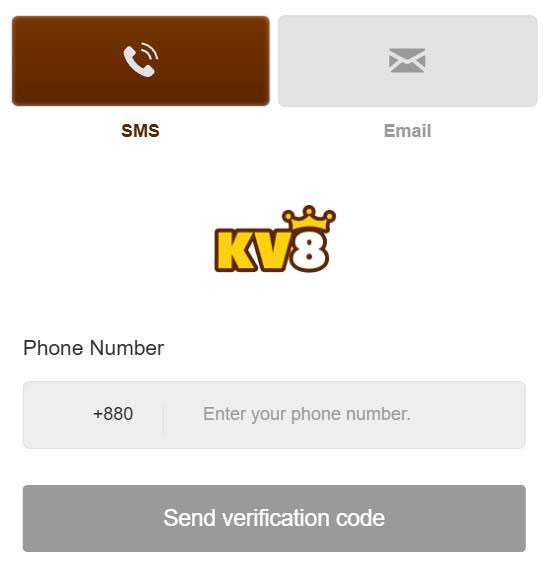
Once you reset your password, save it in a secure manager, and you should not hit the same wall again.
Account Security Features
Now, your wins only matter if your account stays safe. KheloVIP treats security seriously, with a combination of strong password rules, secure connections, and clear policy pages for privacy and responsible gaming.
You will notice that all important pages, including Khelo VIP Casino login and sign up, are loaded under secure HTTPS, with best quality platform messaging in the footer that highlights safety and reliability.
Password Management
Your first security layer is your password. We already require 6–20 characters with at least one letter and one number, and we allow special characters so you can build something stronger.
To keep your account safer after that, a bit of smart password hygiene goes a long way.
- Avoid simple combinations like “123456” or your real name as your password.
- Use a mix of uppercase, lowercase, numbers, and symbols to create a unique password.
- Do not share your login details with friends; keep each KheloVIP account personal.
- Update your password from time to time, especially after using shared devices.
If you ever think someone has seen your password, change it before your next gaming session.
SSL Encryption Protection
Here’s the thing: you want all your data, bets, and payments to stay private. The KheloVIP platform runs on a secure HTTPS domain and loads all scripts and assets through encrypted connections, as you can see from the main page source.
This SSL layer keeps your Khelo VIP Casino login credentials and transaction details protected when they travel between your device and our servers.
What SSL means for you:
- Your username, password, and banking details are encrypted in transit, not sent as plain text.
- Third parties on public Wi-Fi have a much harder time intercepting your data.
- You can always check the padlock icon in your browser to confirm the secure connection.
Combined with strong passwords, this gives your KheloVIP account a solid security baseline.
After Registration – First Steps
Once you are registered and logged in to KheloVIP Casino, you should take a few quick steps to make your life easier later. This includes filling out profile details, checking key settings, and preparing for your first deposit in BDT.
Doing this groundwork once means faster withdrawals, easier support help and smoother bonus claiming down the line.
Profile Completion
Now, your profile is where we keep the details we need to support you properly. The main site’s footer links to About Us, Contact Us, Privacy Policy, and Responsible Gaming pages, which all rely on you using accurate account data.
Spending a couple of minutes here saves you headaches if you ever need to recover access or verify big withdrawals.
- Fill in your real name exactly as on your ID so KYC checks match.
- Add a reachable phone number or email so support can contact you when needed.
- Review your communication preferences if you want promo alerts or only essential messages.
Once this is done, your account will be ready for full VIP progression and smoother banking.
Making Your First Deposit
Here’s the fun part: funding your account so you can actually play. The KV8 / KheloVIP platform highlights “Payment Methods” in the footer, with icons for popular options that are widely used by Bangladeshi players.
While the exact amounts are listed on the banking pages, the process is always similar.
- Go to the cashier or deposit section from your account menu after logging in to KheloVIP Casino.
- Choose a payment method supported in Bangladesh and enter your desired amount in BDT.
- Confirm the transaction and wait for the instant credit to your main balance before you start playing.

If it is your first deposit, do not forget to check the promotions page so you can attach a welcome bonus.
Account Management
Once everything is set up, managing your KheloVIP account becomes easy. The left side navigation groups everything by category, like HOT GAMES, Slots, Crash, Casino, Sports, Arcade, Table, Lottery, Fishing, as well as Download and Contact Us sections.
You can move between games, promotions, VIP program, referral page, and support without leaving your session, all while staying logged in under the same KheloVIP Casino account.
Everyday things you can manage:
- Check your balance and bonus status from the main header after logging in.
- Switch between game categories or providers from the left menu in one click.
- Use the VIP Program and Referral links to track your rewards and invite friends.
- Access support, rules, and responsible gaming tools directly from the footer or left menu.
If you treat your account page as your control center, managing everything from deposits to bonuses will feel natural very quickly.
Conclusion
Bottom line, signing up and logging in at Khelo VIP is quick and beginner-friendly, whether you are on desktop or mobile. You just create a username, set a strong password, confirm you are over 18, and you are ready to access a full Bangladesh-focused casino and sportsbook in a few clicks.
With secure HTTPS, clear login and signup modals, easy password recovery, and straightforward account management, you get a safe environment to start playing, claiming bonuses, and hopefully stacking some nice wins.

FAQ
Click “Sign up” in the top header, choose a username (4–16 characters), set a password (6–20 characters with letters and numbers), and hit Submit, confirming you are over 18 and accept the terms.
You only need your registered username and password. Both fields appear in the Login modal, with a “Forgot password?” link if you need to reset it.
Yes, you can log in through your mobile browser using the same Login button or install the app using the Download section and promotional banners, then use the same username and password.
Simply click “Forgot password?” in the login modal and follow the recovery instructions. If you still cannot get in, contact Live Chat from the Contact Us section.
KheloVIP uses secure HTTPS/SSL connections for login and gameplay, enforces strong password rules, and provides full policy pages for privacy, terms, and responsible gaming in the footer.